
Truss design software in the browser
TrussLab models, analyzes, designs and optimizes steel trusses in one browser application. Geometry is generated from span, depth, panel count and truss type; every member is checked to the selected steel design code, with a calculation report per member.
Workflow
- Model: parametric geometry, sections, materials, bracing and supports.
- Loads: point and distributed loads per load case, automatic self-weight, strength and service combinations.
- Analyze: 3D FEM solve for reactions, member forces and joint deflections.
- Design: member checks to AISC 360-22, EN 1993-1-1, AS 4100:2020 or IS 800:2007, and auto-design of section sizes.
- Optimize: search over geometry, topology and member sizes for lower steel weight.
- Export: DXF, Excel, PDF report, SAP2000 (.s2k), IDEA StatiCa, and live push to ETABS, SAP2000 and Revit.
All steps share one model. A change to span, depth or bracing regenerates the truss and re-runs the analysis and the member checks against the new geometry.
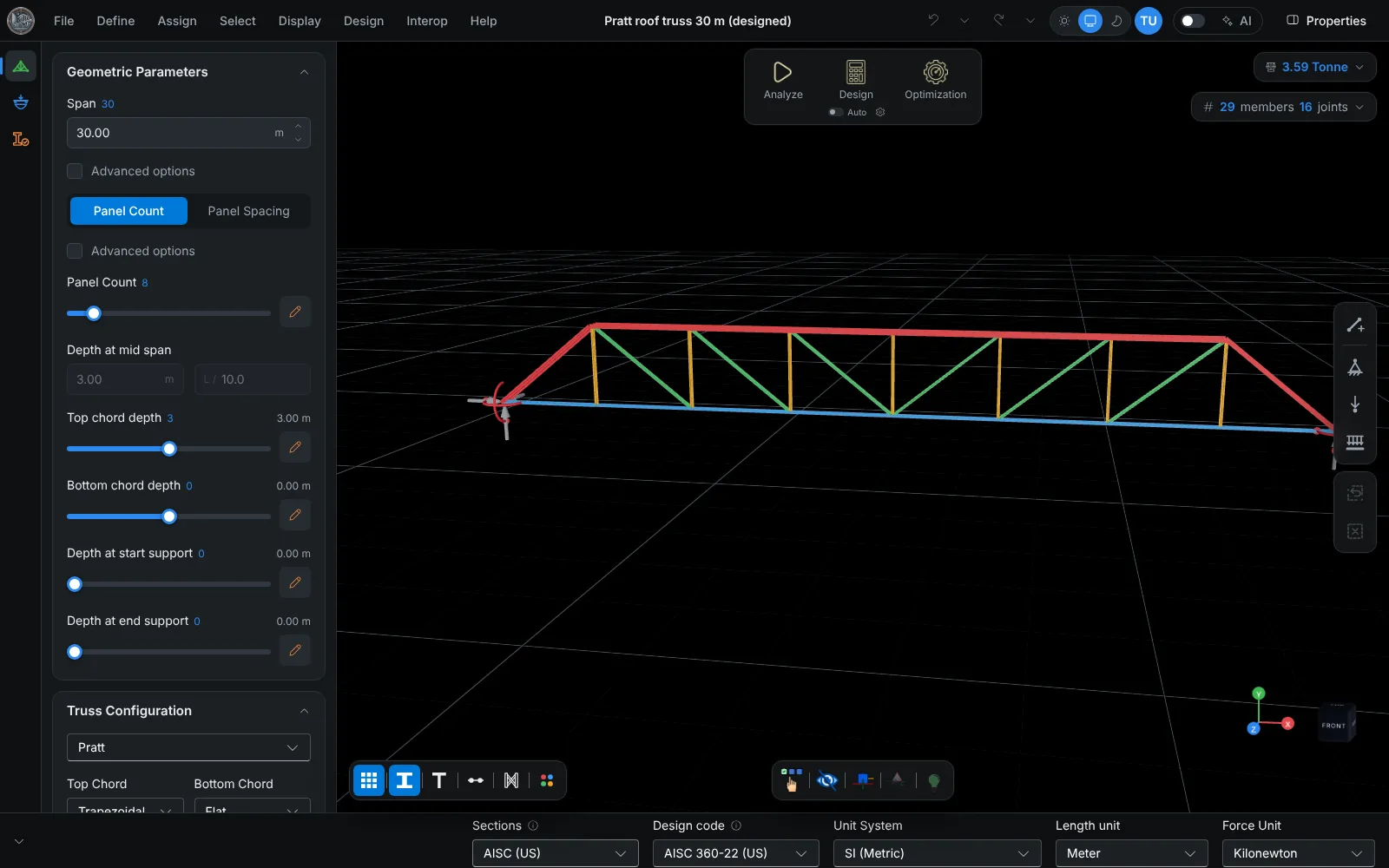
Truss geometry from parameters
Truss types: Pratt, Howe, Warren, Parallel chord, Pitched, Bowstring, Barrel, Tapered and Scissor. Top and bottom chord shapes (parabolic, pitched, trapezoidal or flat) are set independently. Double chords, cross (X) diagonals, end releases, splices and hand-drawn members are supported.
Details: parametric truss design.
Analysis
The truss is solved with the direct stiffness method on a 3D model. Each member is subdivided internally, so axial force, shear, moment and deflection are sampled along its length. Load cases cover dead, superimposed dead, live, roof live, wind, seismic and notional loads; self-weight is computed from the sections and applied as its own load case. Results are given for every load case and combination.
Member design and reports
Tension, compression, flexure, shear and combined forces are checked to the selected code. Unbraced lengths follow the chord bracing (at panel points, at panel and mid points, or at a custom spacing). Auto-design selects catalogue sections per member group that pass the checks, and every member has a step-by-step calculation report.
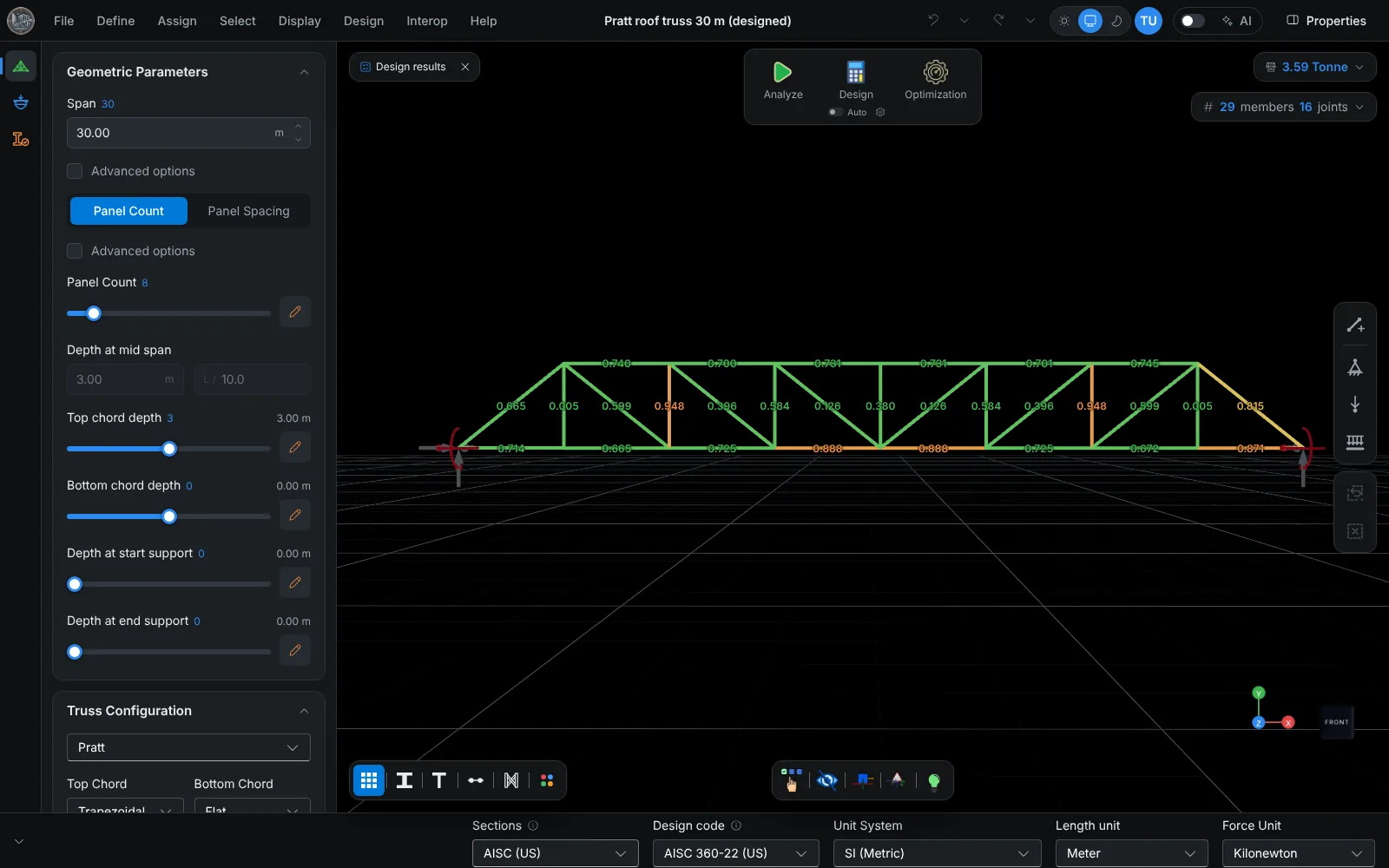
Code pages: AISC 360-22, EN 1993-1-1, AS 4100:2020, IS 800:2007.
Optimization
The optimizer varies depth, panel count, truss type, chord shape, web layout and member sizes together, and ranks the candidates by steel weight, utilization and deflection. In an 80 m span case study it reached 24.67 t against 30.97 t for a Pratt layout, with all members passing. Details: truss optimization.
Platform and data
The application runs in a current browser on desktop, tablet and phone, with nothing to install. Projects are saved as files on the local device; the calculation engine returns results without storing models. Trusslab Desktop Connector, a free Windows app, is only needed for the live push to ETABS, SAP2000 and Revit. AI assistants such as Claude, ChatGPT and Cursor operate the application through its MCP server.
Scope
- Steel trusses; one truss per project in the truss workspace, several trusses on a roof in the roof workspace.
- Linear static analysis. P-delta and other nonlinear effects are not included.
- Loads are entered per load case; wind, snow and seismic loads are not generated from code parameters.
- Connections are not designed.
Frequently asked questions
Is there a free trial?
Yes. The trial lasts 7 days and is activated after signing up at trusslab.in. No card is needed.
Which design codes are supported?
AISC 360-22 (LRFD), EN 1993-1-1, AS 4100:2020 and IS 800:2007, for tension, compression, flexure, shear and combined forces.
Does it work as a timber truss calculator?
No. TrussLab designs steel members with steel section catalogues (AISC, European, Australian and Indian) and steel design codes.
Does it run on a tablet or phone?
Yes. The full application runs in a current browser on desktop, tablet and phone.
Are connections designed?
No. TrussLab designs members only. A selected joint with its connected members and forces is exported to IDEA StatiCa Connection for connection design.