
Steel roof truss design
TrussLab designs steel roof trusses from the roof geometry to member sizes. A roof surface imported from DXF sets the truss shape and carries the area loads; the truss is analyzed, its members checked to the selected design code, and copies are placed along the roof.
Roof truss types
| Roof | Truss type |
|---|---|
| Duo-pitch | Pitched (Pratt, Howe or Warren web) |
| Mono-pitch | Tapered |
| Curved or arched | Bowstring, Barrel |
| Vaulted ceiling | Scissor |
| Flat or low slope, long span | Parallel chord |
Top and bottom chord shapes are set independently, so a pitched top chord can be combined with a flat, trapezoidal or raised bottom chord. See parametric truss design.
Roof workspace
- Roof surface: imported from DXF (3D faces, polyface meshes and MESH entities).
- Placement: saved truss projects are placed on the roof, then moved, rotated, copied or arrayed along a line.
- Area loads: one uniform pressure per load case on the whole roof surface, by surface area or by plan projection.
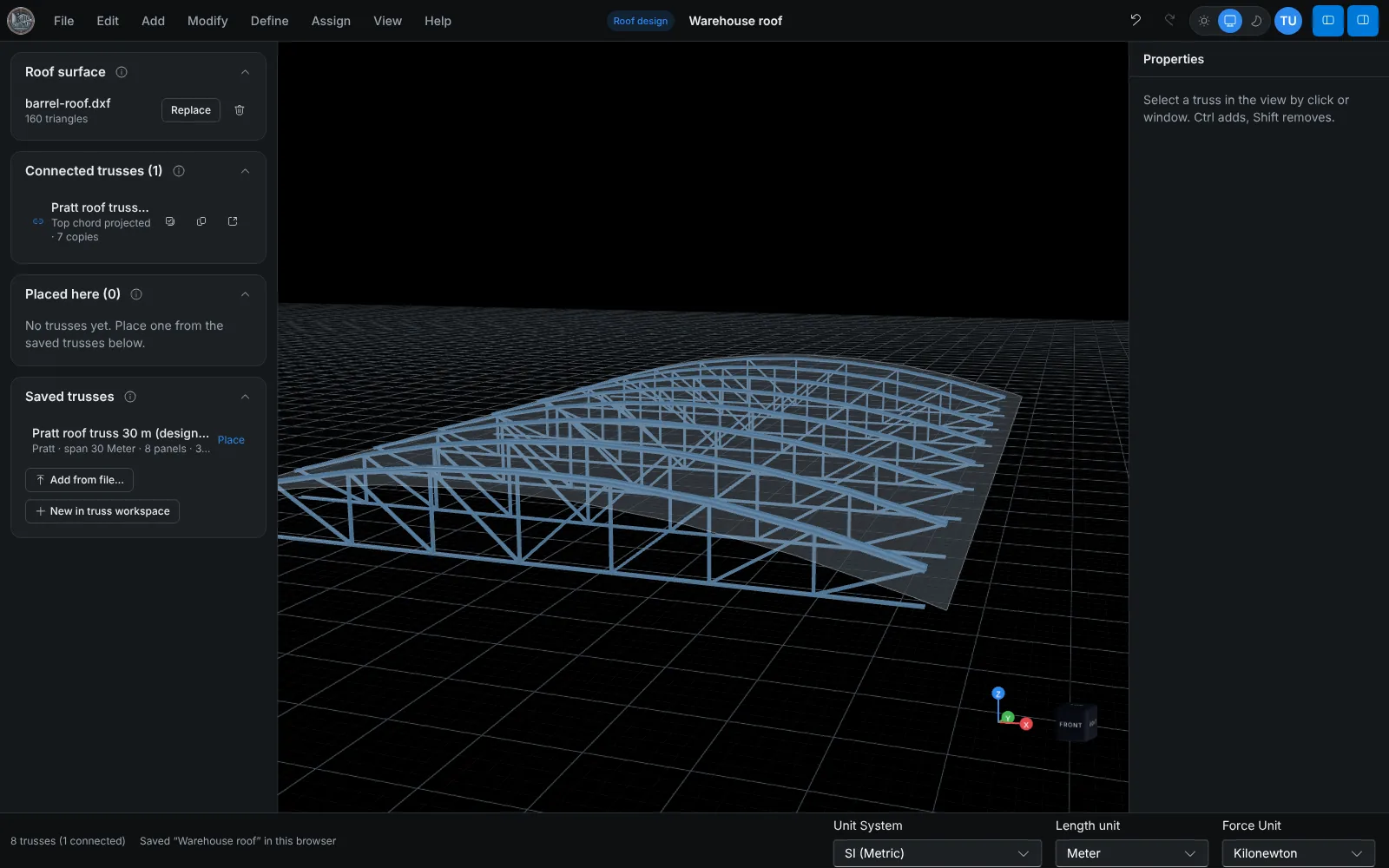
Truss shape from the roof
In the truss workspace, Interop > Connect to roof workspace links the truss to a saved roof. The span start and end points are typed or picked on the roof, and Project top chord to roof sets the top chord to the roof section along the span. Projection requires the roof to cover the full span.
Once the truss project is saved, the roof workspace shows it in place, and its arrayed copies update with each save.
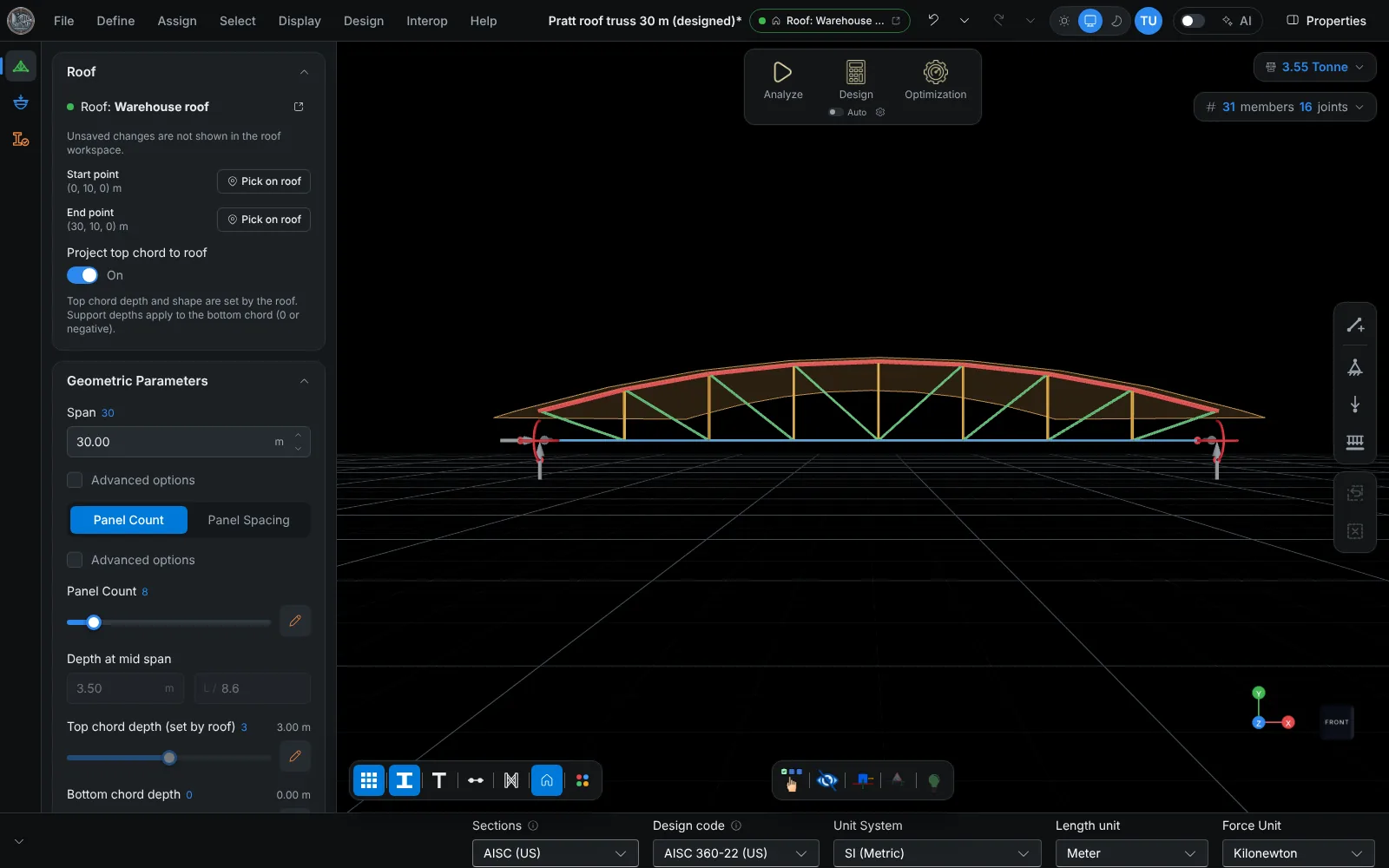
Loads and combinations
Load cases cover dead, superimposed dead, live, roof live, wind, seismic and notional loads, as nodal point loads or distributed loads along members. Self-weight is computed from the member sections. Selecting a design code sets its default strength and service combinations, which remain editable.
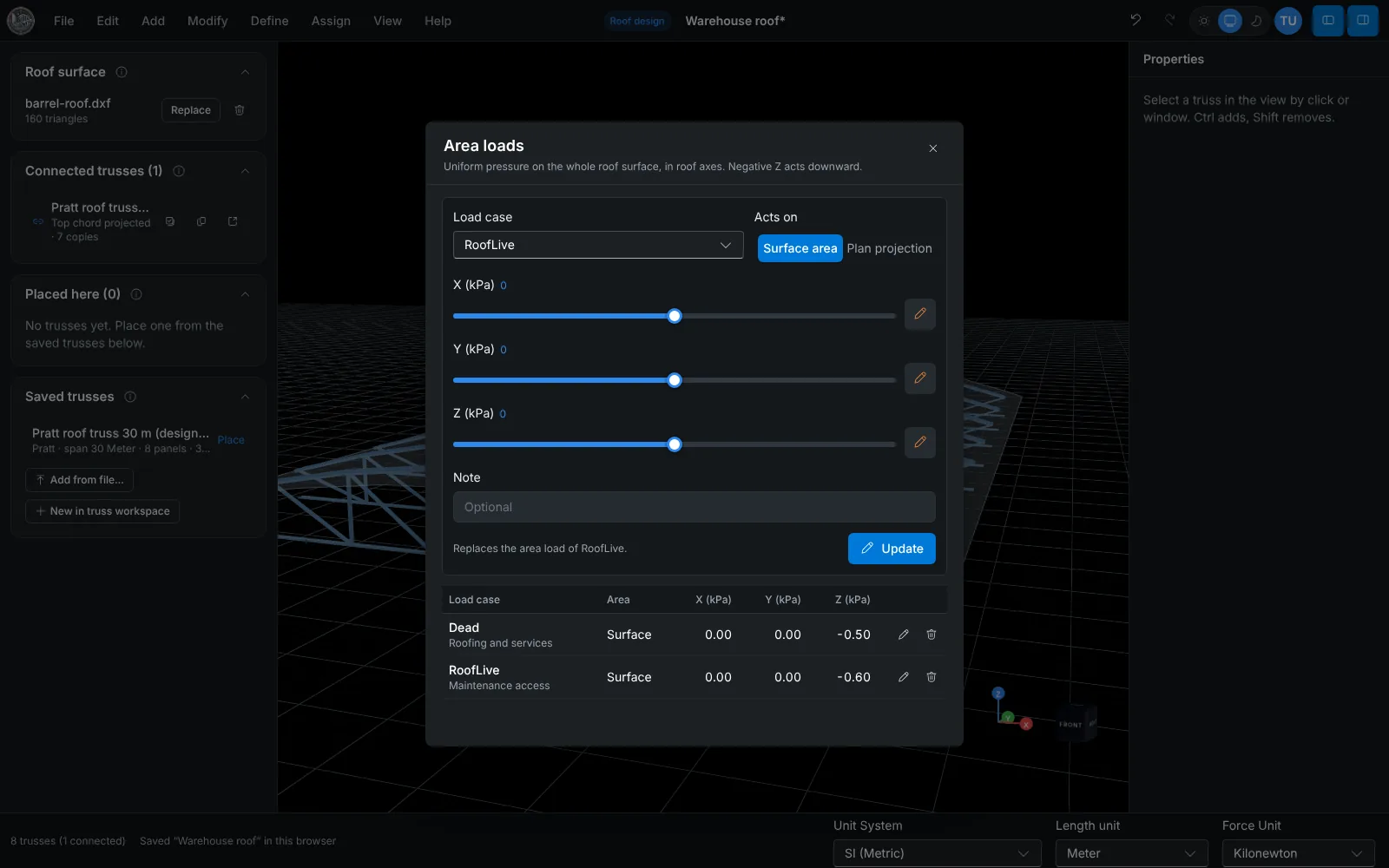
Member design
Members are checked to AISC 360-22, EN 1993-1-1, AS 4100:2020 or IS 800:2007. Top chord bracing from purlins is entered as the unbraced length (at panel points, at panel and mid points, or a custom spacing), and the compression and lateral-torsional buckling checks use it. Each member has a calculation report.
To Revit, ETABS and SAP2000
Trusslab Desktop Connector writes the truss into a running ETABS 21+ or SAP2000 24+ model, or places the members as structural framing in Revit 2023 to 2027. The model is also exported to SAP2000 (.s2k), DXF and IDEA StatiCa.
Frequently asked questions
Are wind and snow loads calculated from the code?
No. Wind, snow and seismic loads are entered as load cases (area pressures on the roof surface, or member and nodal loads on the truss). They are not generated from code parameters.
Are purlins designed?
No. Purlins are represented by the top chord unbraced length and by the loads they deliver. The bracing members are not modeled.
Which roof formats can be imported?
DXF with 3D faces, polyface meshes or MESH entities.