
AISC 360-22 truss design
TrussLab checks every truss member to AISC 360-22 (LRFD) for each strength combination, with sections from the AISC Shapes Database v16 and a step-by-step calculation report per member.
Limit states checked to AISC 360-22
Every truss member is checked for each strength load combination. The governing combination and limit state are reported per member as a demand-capacity ratio (DCR), and members are colored by DCR in the model view.
| Limit state | AISC 360-22 clauses |
|---|---|
| Tension | D2 |
| Compression | E3, E4, E5 (single angles), E7 (slender elements) |
| Flexure | F2, F3, F5 – F10 |
| Shear | G2 – G6 |
| Combined forces | H1.1 |
Resistance factors are those of AISC 360-22 LRFD. Tees and double angles are bent with the flange or the stem in compression depending on the sign of the moment, so both senses are checked (F9) and the smaller strength governs. Single angles are checked about their principal axes (F10), and the strengths are turned into geometric-axis strengths that hold for either sign of either moment.
Sections and steels
AISC Shapes Database v16: W, M, S, HP, C, MC, L, double L, WT, MT, ST, HSS rectangular, HSS round and Pipe. Steels: A992, A36, A500 Gr. C and A53.
Members are grouped (top chord, bottom chord, diagonals, verticals), each group is assigned a catalogue section and one of the standard steels, and individual members can be overridden. Auto-design selects sections that pass the checks; the optimizer also varies geometry and topology.
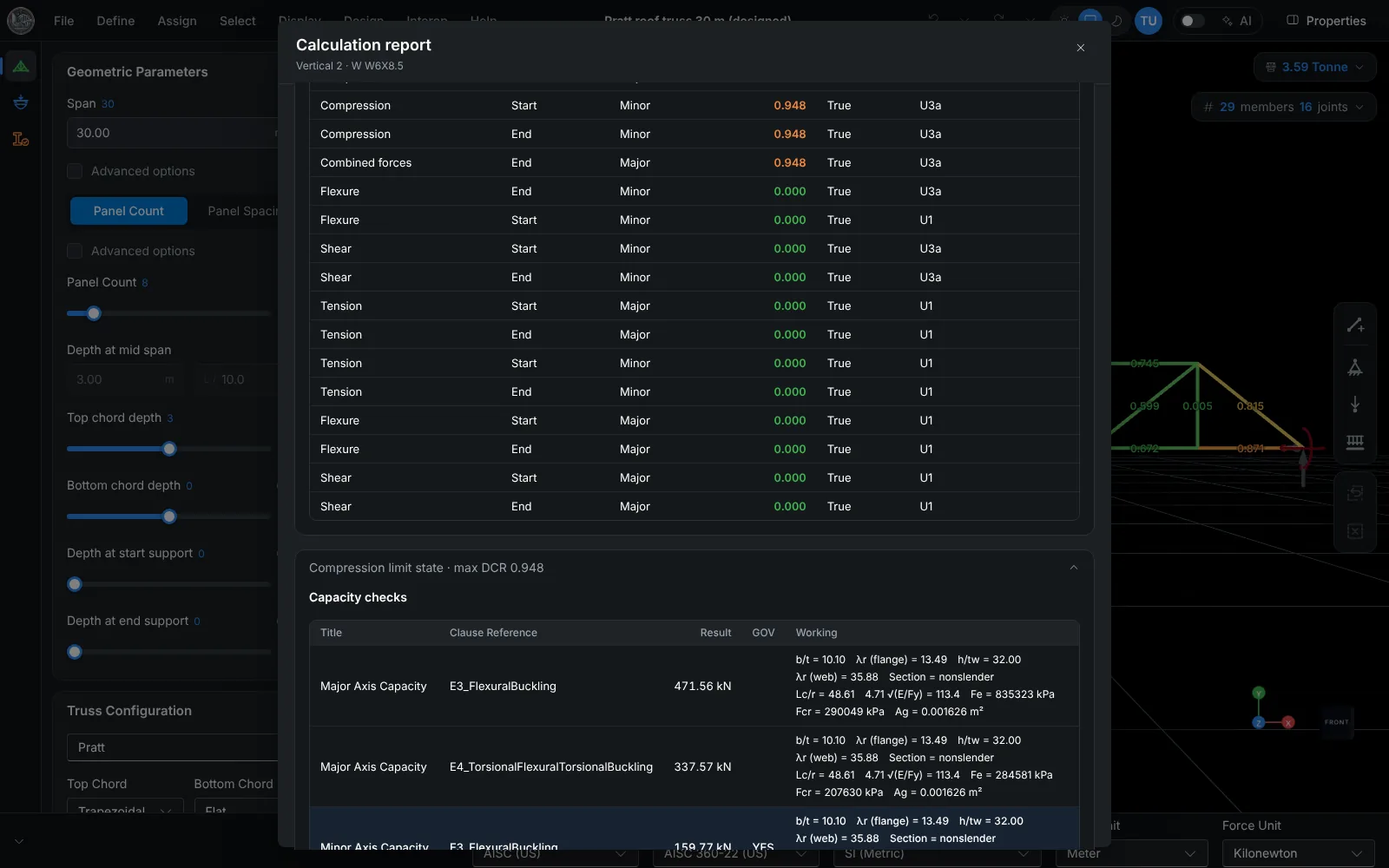
Calculation report
A step-by-step calculation report is generated for each member, per limit state and governing load combination, with the demand, the design strength and the resulting DCR. The full truss report is exported as PDF.
Verification against published AISC 360-22 examples
Design strengths are compared with hand calculations from the AISC 360-22 equations and with the available strengths of the AISC Design Examples v15.1, each computed for the example's section, steel and lengths.
The inputs, reference values, TrussLab values and differences are listed on the verification page, with downloadable project files.
Scope and differences from the code examples
- Lateral-torsional buckling uses Cb = 1.0.
- Tensile rupture takes the effective net area as 0.75 Ag for every member, which is conservative where the connection gives a higher value.
- Analysis is linear elastic and static. Connections are not designed.
Frequently asked questions
Is ASD supported?
No. AISC 360-22 checks use LRFD.
Are double-angle truss members checked?
Yes. Double angles are in the AISC catalogue and are checked for tension, compression, flexure in both senses (F9), shear and combined forces.
Can the design code be changed after the model is built?
Yes. The design code is a project setting. Selecting another code re-runs the member checks and sets that code's default load combinations; the geometry and loads are kept. Any code can be used with any section catalogue.
Are connections designed?
No. TrussLab designs members only. A selected joint with its connected members and forces is exported to IDEA StatiCa Connection for connection design.